Playbook
AI Knows Your Brand. Does It Have the Facts Right?
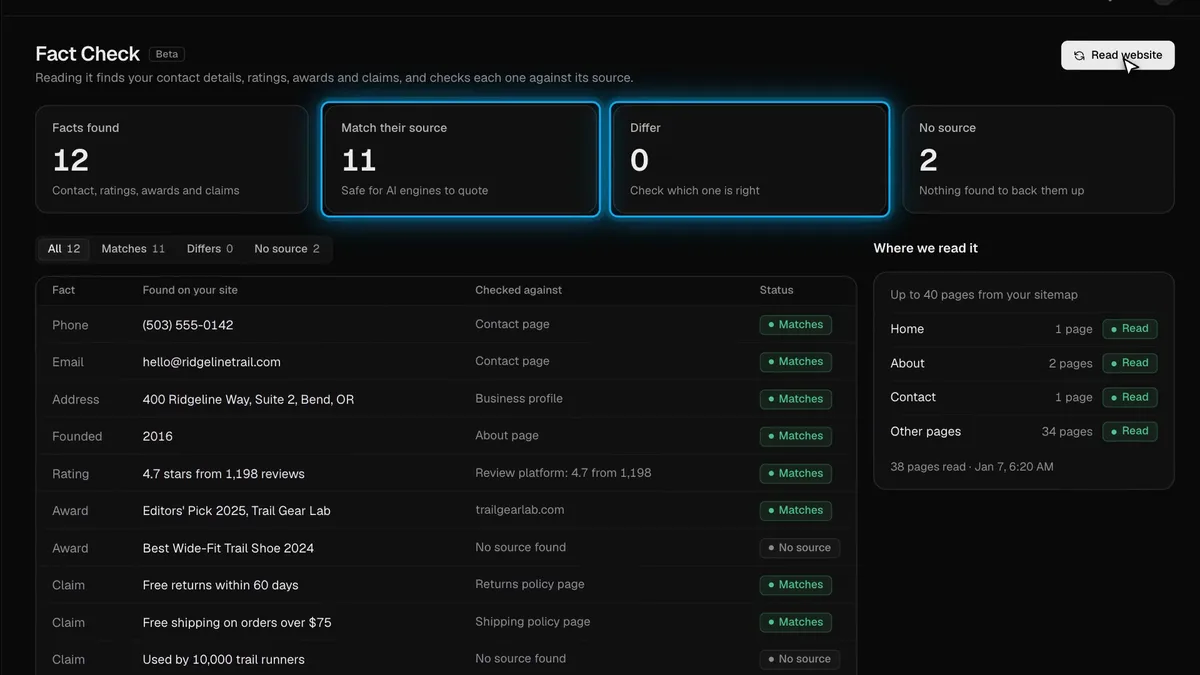
When a buyer asks an AI assistant about your brand, or searches your name and an AI summary appears, they may see a short description before any list of links: what you sell, roughly what it costs, who it’s for and how you compare. That description is assembled from sources you may not have chosen, and it can be confidently wrong.
That is a different problem from visibility. A brand can appear often and still be described inaccurately. What follows is a repeatable way to check the facts AI answers state about you, record what you find, and correct what is within reach.
Why branded answers need their own check
Google’s documentation says AI Overviews and AI Mode may use a “query fan-out” technique, running several related searches across subtopics and sources before composing a response (Google Search Central). A single branded answer can therefore draw on your current pricing page alongside an older review, a forum thread or a video.
An October 2026 Ahrefs study examined exact-name searches for 100 brands selected from Interbrand’s Best Global Brands 2025 at 14 weekly checkpoints between July and September. In that panel, Wikipedia, YouTube and LinkedIn were the most commonly cited external domains in AI Overviews (Ahrefs). That is a narrow sample of big brands, not a rule for every company. It does show that pages you don’t own can help shape how you’re summarized.
Step 1: Build a dated claim ledger
Before testing anything, write down the facts that matter commercially. Give each one an “as of” date and a public URL where it is documented. These five fields are a suggested starting point; add or drop fields to fit your business:
- Product category: what you are, in the words a buyer would use.
- Pricing model: per seat, usage-based, flat fee, free tier, or quote-only.
- Eligibility: who can buy, such as regions, company size, industries and minimums.
- Integrations: what is supported today, not what’s on the roadmap.
- Differentiators: only claims you can support with a public page.
Writing the ledger often surfaces facts that aren’t documented publicly anywhere. Note those as you go. They are worth fixing whatever any AI answer says.
Step 2: Keep your question set stable
Write 10–20 questions in three groups and reuse them each cycle:
- Brand: “What does [Brand] do?” “How much does [Brand] cost?”
- Product: “Does [Brand] integrate with HubSpot?” “Can a business in Canada use [Brand]?”
- Comparison: “[Brand] vs [Competitor] for small teams.”
If you reword the questions every month, the results become harder to compare. Answers can also vary by platform, session, account and location, so log the context of every run:
- Platform and date.
- Model or version, if it is shown.
- Whether web search was on.
- Location or region setting.
- Account state: signed in or out, and whether memory or personalization is on. Opening a new chat does not necessarily clear memory or account-level personalization, so record those settings rather than assuming a clean slate.
- The full answer text and any cited sources.
Treat a cited URL as a lead, not as proof of where a claim came from. Open it and check whether it actually supports the exact claim in the answer.
Step 3: Label every claim
Compare each answer with your ledger and give every relevant claim one of five labels:
- Correct: consistent with your verified, current fact.
- Absent: the fact isn’t mentioned.
- Outdated: it matches something that was true before a verifiable date, such as a dated pricing change, but no longer is.
- False: reliable current evidence contradicts it. Use the outdated label when a documented earlier fact explains the discrepancy.
- Unverifiable: there isn’t enough evidence to confirm it or contradict it.
Don’t jump from a label to a cause. An absent fact may simply be irrelevant to the question, or the answer may have left it out. It is only worth investigating if the fact matters to the question that was asked. An unverifiable claim is a gap in the evidence, not automatic proof that your own pages are vague. What the labels do give you is a way to separate errors you can date and trace from claims that need more checking before you act.
A hypothetical example
Imagine a scheduling software company whose pricing page has said “per seat” since a dated March 2026 change; it previously charged $49/month flat. In October, an AI answer to “How much does [Brand] cost?” still says $49/month. It cites a 2024 comparison article and the company’s own launch blog post, which is still live.
Both pages state the old price, and the change date is documented, so this claim is outdated, not false. The owned page is quick to fix: add a dated note to the old post linking to current pricing, and make sure the pricing page states the model in plain text. The comparison article belongs to someone else, so the next step is a short, polite correction request with a link to the current page. Neither step guarantees that the answer changes, or when.
A compact ledger
Illustrative rows (hypothetical). Run context, such as platform, date, location, search setting and account state, sits in a separate log.
| Claim | Verified fact | Observed answer + status | Next action |
|---|---|---|---|
| Pricing model | Per seat since Mar 2026 (dated pricing page) | “$49/month flat” (Outdated) | Annotate old blog post; request correction from review site |
| Integrations | Support docs state no native Zoho integration (Oct 2026) | “Integrates natively with Zoho” (False) | Check cited source; make the supported-integrations page explicit |
| Eligibility | US and Canada only | Not mentioned (Absent) | Note only; the question asked about price |
| Category | Team scheduling software | “Scheduling tool for teams” (Correct) | None |
Step 4: Fix owned facts first, then ask others
Owned pages. Keep pricing, eligibility and integrations in visible text, not only in images or behind a demo form. Google says no special AI files or schema are needed for its AI features. It also says structured data should match visible text, and that Business Profile and Merchant Center details should be kept current (Google Search Central).
Third-party pages. For reviews, directories and articles, send the publisher three things: the exact sentence, the correct fact, and a public page that confirms it. Keep the request brief and factual, and accept that some publishers won’t update. You can ask sources to be accurate; you can’t control what a model says.
Report outcomes separately
Don’t merge these into a single “AI visibility” number:
- Retrieval: the system found a relevant source about you.
- Citation: it linked to that source in the answer.
- Recommendation: it suggested your brand for the buyer’s need.
- Visit: someone clicked through.
- Conversion: someone signed up, booked or bought.
Each one can happen without the next. A fact can be cited correctly without your brand being recommended, and a visit doesn’t guarantee a conversion.
Cadence
Run the question set monthly, and again after any change to pricing, packaging or integrations. Your owned pages are what you can most directly influence, and correction requests are how you improve the accuracy of public sources. Neither gives you control over what any AI answer finally says.
Topic inspiration: Click Intelligence’s October Monthly SEO Newsletter (26 October 2026) discussed brand coverage and source links in AI answers. This article develops an independent audit workflow.
Keep reading
 Playbook
The Click After the Citation: Is Your Page Ready for an AI-Referred Visitor?
A citation can lead someone to your page. Does the page help them finish the task? Use these four checks to review the answer, supporting detail and next step.
5 min read
 Playbook
What should your next GEO investment fix?
A popular tactic may be the wrong next task for your website. Use four practical gates to decide what to fix, what to fund and how to measure the result.
6 min read
 Research
Could ChatGPT’s emailed prompts help you decide what to publish?
A prompt in an OpenAI newsletter can reveal a useful customer task. It does not prove demand or guarantee a recommendation. Here is how to turn the observation into a small, honest content test.
6 min read