GEO guides · Playbooks
How do you manage AI crawlers in robots.txt?
AI products use different crawlers for training, for search and for fetching a page when a person asks. You can allow or block each one separately in robots.txt. To appear in an assistant’s search answers, allow its search crawler. To keep content out of model training, block its training crawler.
Last updated November 16, 2026 · By Auden editorial team · 5 min read
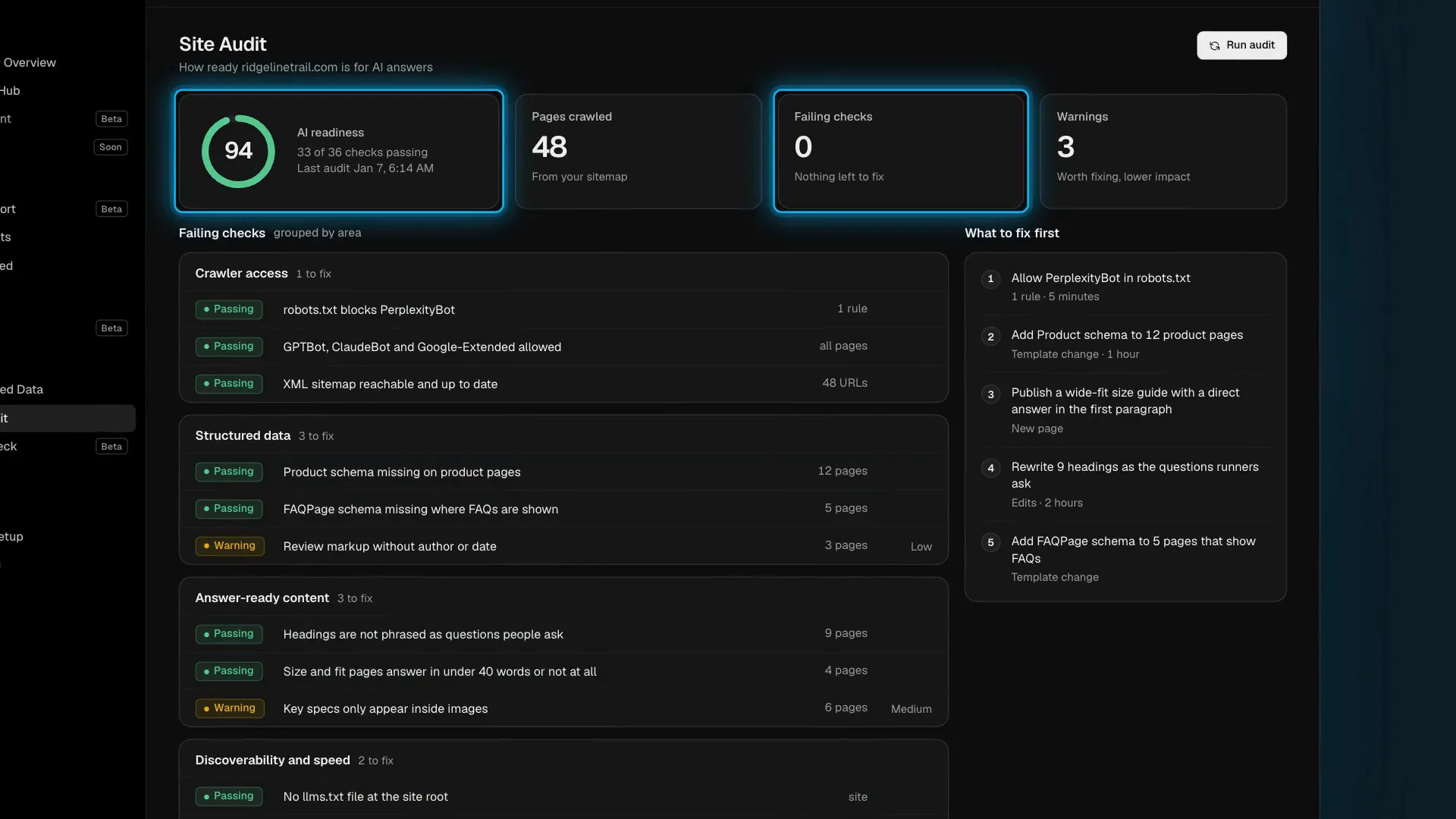
Key takeaways
- Training, search and user-requested fetching are separate crawlers with separate settings.12
- Blocking a training crawler does not remove you from search answers. OpenAI says each setting is independent.1
- User-initiated fetchers may ignore robots.txt. Perplexity says Perplexity-User generally does, and OpenAI says robots.txt rules may not apply to ChatGPT-User.31
- A firewall can block a crawler that robots.txt allows. Check both.
Which AI crawlers should you know about?
OpenAI runs OAI-SearchBot for search, GPTBot for training and ChatGPT-User for user actions. Anthropic runs Claude-SearchBot, ClaudeBot and Claude-User. Perplexity runs PerplexityBot and Perplexity-User. Google uses Googlebot for Search and the Google-Extended token for AI training and grounding. Each has its own robots.txt token.
| Token | Purpose | What the vendor says about robots.txt |
|---|---|---|
| OAI-SearchBot | Surfaces sites in ChatGPT search | Opting out hides a site from ChatGPT search answers.1 |
| GPTBot | Content that may train OpenAI models | Disallowing it signals the content should not be used for training.1 |
| ChatGPT-User | User-initiated actions in ChatGPT | Robots.txt rules may not apply, and it is not used to decide search inclusion.1 |
| Claude-SearchBot | Improves search result quality | Disabling it may reduce visibility and accuracy in search results.2 |
| ClaudeBot | Collects content for model training | Restricting it signals that future material should be excluded from training.2 |
| Claude-User | Requests made by Claude users | Disabling it prevents retrieval for user queries.2 |
| PerplexityBot | Surfaces and links sites in Perplexity results | Honors the PerplexityBot tag. Not used for foundation model training.3 |
| Perplexity-User | Fetches a page when a user asks | Generally ignores robots.txt because a user requested the fetch.3 |
| Google-Extended | AI training and grounding for Gemini apps and Vertex AI | Does not affect inclusion in Google Search or serve as a ranking signal.4 |
Google Search and its AI features follow Googlebot directives.7 Bing says it respects content owner preferences set through robots.txt.8
How do you write the rules?
The file must be named robots.txt, encoded as UTF-8 and placed at the root of the host. Each group starts with a User-agent line followed by Allow and Disallow rules. A crawler follows the first, most specific group that matches its name. Rules apply only to the protocol, host and port where the file is served.
That is Google’s description of the format.5 The example below allows three search crawlers and blocks three training controls. It shows one policy. Whether to block training is a business decision for each company.
User-agent: OAI-SearchBot
Allow: /

User-agent: Claude-SearchBot
Allow: /

User-agent: PerplexityBot
Allow: /

User-agent: GPTBot
Disallow: /

User-agent: ClaudeBot
Disallow: /

User-agent: Google-Extended
Disallow: /
A named group takes precedence over a general User-agent: * group for that crawler, so a broad block under the asterisk does not stop a crawler that has its own group. Repeat the file for each subdomain, since rules at https://example.com/robots.txt do not cover https://m.example.com/.52
How do you check that the right crawlers can reach you?
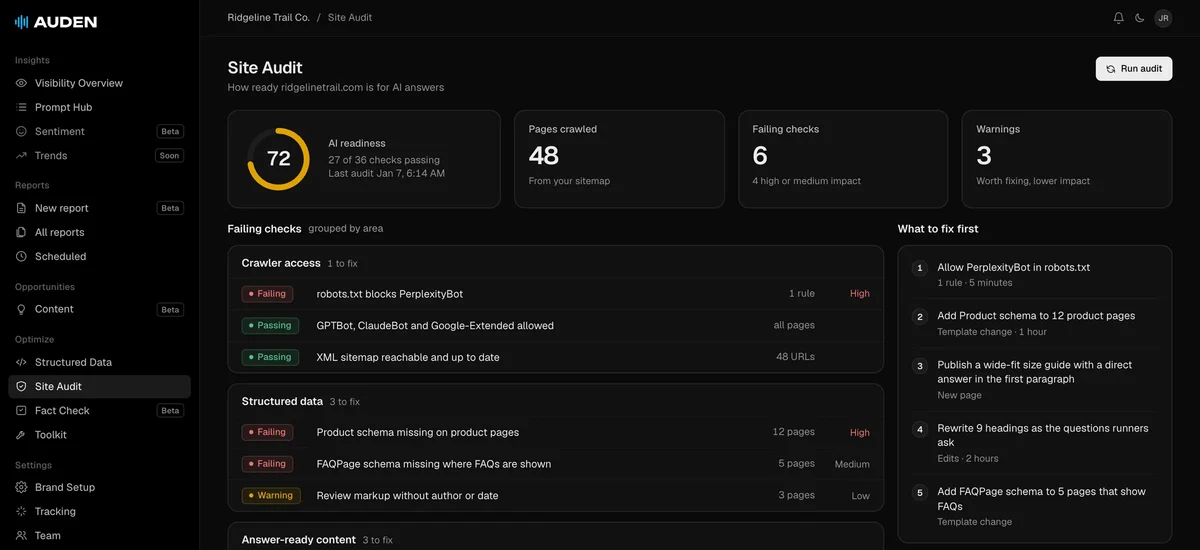
Read your live robots.txt on every host, confirm the search crawlers are allowed, then check your firewall and CDN, which can block a crawler that robots.txt allows. OpenAI and Perplexity publish IP ranges and recommend allowing them. Allow time for changes to take effect, then confirm in your server logs.
- Open /robots.txt on the root domain, the www host and any subdomain that serves content.
- List every group that names an AI token. Check that no
User-agent: *rule blocks pages you want cited. - Decide each token by purpose: search, training or user fetch.
- Check the firewall. OpenAI publishes IP ranges for each bot, and for search says allowing them helps ensure your site appears.1 Perplexity recommends matching both the user-agent string and the published IP ranges in WAF rules.3 Anthropic publishes its crawler IPs and warns that blocking them may not persistently opt you out, because it stops the bots reading robots.txt.2
- Wait. OpenAI and Perplexity both say changes can take about 24 hours to take effect.13
- Search your server logs for the tokens above to confirm they arrive and receive a 200 response.
What can robots.txt not do?
Robots.txt controls crawling. It does not keep a page out of Google, and a blocked URL can still appear in results without a description. User-initiated fetchers may not follow it at all. For private content use noindex, passwords or server rules, and for snippet limits use the preview controls.
Google states that robots.txt is not a mechanism for keeping a page out of Google, and recommends noindex or password protection for that.6 To limit what is shown from your pages in Search, Google lists nosnippet, data-nosnippet, max-snippet and noindex.7
There is a trade-off. Google ties supporting links in AI Overviews and AI Mode to snippet eligibility, so a nosnippet rule can remove a page from that pool.7
What is changing?
Two vendors have announced machine-readable training preferences beyond robots.txt. Anthropic says that starting October 30, 2026 it recognizes a “no AI training” signal based on an IETF aipref draft, rolling out gradually. Google says it intends to support the AIPREF training signal in early 2027.
Anthropic adds that a robots.txt rule naming ClaudeBot takes precedence over the general signal for a path.2 Google describes the future signal as “user-agent: __usage_ai-training”.4 Anthropic also supports the non-standard Crawl-delay directive for ClaudeBot.2 Check these pages again before relying on them, since the details are still being rolled out.

Questions people ask
Does blocking GPTBot remove my site from ChatGPT?
OpenAI says each setting is independent. GPTBot relates to training. Sites that opt out of OAI-SearchBot are hidden from ChatGPT search answers.1
Does blocking Google-Extended hurt my Google rankings?
Google says Google-Extended does not impact a site’s inclusion in Google Search and is not a ranking signal.4
Should I block every AI crawler?
Do these crawlers obey robots.txt?
Sources
Every statement about how an engine, crawler, file or schema works comes from the pages below, which we read on November 16, 2026. Vendors change these pages, so check the originals before you act.
- 1OpenAI DevelopersOverview of OpenAI crawlers (OAI-SearchBot, GPTBot, ChatGPT-User)developers.openai.com/api/docs/bots · accessed November 16, 2026
- 2Anthropic Privacy CenterDoes Anthropic crawl data from the web, and how can site owners block the crawler?privacy.claude.com/en/articles/8896518-does-anthropic-crawl-data-from-the-web-and-how-can-site-owners-block-the-crawler · accessed November 16, 2026
- 3Perplexity DocsPerplexity crawlers (PerplexityBot and Perplexity-User)docs.perplexity.ai/guides/bots · accessed November 16, 2026
- 4Google Search CentralGoogle's common crawlers (Google-Extended)developers.google.com/crawling/docs/crawlers-fetchers/google-common-crawlers · accessed November 16, 2026
- 5Google Search CentralHow to write and submit a robots.txt filedevelopers.google.com/search/docs/crawling-indexing/robots/create-robots-txt · accessed November 16, 2026
- 6Google Search CentralIntroduction to robots.txtdevelopers.google.com/search/docs/crawling-indexing/robots/intro · accessed November 16, 2026
- 7Google Search CentralAI features and your websitedevelopers.google.com/search/docs/appearance/ai-features · accessed November 16, 2026
- 8Bing Webmaster BlogIntroducing AI Performance in Bing Webmaster Tools Public Preview (February 10, 2026)blogs.bing.com/webmaster/February-2026/Introducing-AI-Performance-in-Bing-Webmaster-Tools-Public-Preview · accessed November 16, 2026
Related guides
 llms.txtWhat the llms.txt proposal contains, what Google says about it, and how to publish one if you choose to.5 min readUpdated November 16, 2026
 How AI assistants choose answersWhen assistants search, how one question becomes several searches, and what makes a page eligible to be cited.5 min readUpdated November 16, 2026
 PerplexityHow Perplexity answers with numbered citations, which bots it runs, and how to allow and check them.4 min readUpdated November 16, 2026
See how AI answers describe your business today.
Auden is a GEO service for US businesses. Run the free visibility check, or talk to the team about a plan.